Most articles about FlutterFlow vs native development are written by people who've committed to one side. FlutterFlow advocates downplay the platform limitations; native advocates overstate the performance gaps. We've built real products in both — and we have no financial interest in either answer. Here's what we've actually learned.
The real question
The actual question isn't "FlutterFlow or native?" It's: what tool ships the right product, at the right time, for this specific project and team? The answer depends on four things: timeline, budget, technical requirements, and the post-launch maintenance reality. Most apps that founders believe need native development... don't. But some genuinely do, and building them in FlutterFlow is how you end up in a painful, expensive rebuild twelve months later.
When FlutterFlow wins
- You need to ship in under 3 months. FlutterFlow cuts initial development time by 40–60% for standard app patterns compared to a native build of equivalent scope. If you have a real deadline and a product hypothesis to validate, that advantage is decisive.
- Your app follows standard patterns. Social feeds, booking flows, e-commerce, dashboards, audio/video players, content consumption, form-heavy apps — FlutterFlow handles all of these cleanly. The tool was built for these use cases.
- Your budget is under $100k. At this range, a native iOS + Android team often can't fully deliver what FlutterFlow enables in the same window. Cross-platform from a single codebase is a genuine advantage, not a compromise.
- Post-launch iteration speed matters. FlutterFlow's iteration speed is a long-term advantage, not just a launch shortcut. Updating screens, adding features, responding to user feedback — all significantly faster than in a native codebase.
- You want one team for both platforms. Flutter's cross-platform runtime is mature. In most consumer apps, the performance difference from "truly native" is imperceptible to real users.
When native makes more sense
- You need deep platform hardware integration. ARKit, CoreBluetooth sustained sessions, CarPlay, HealthKit at a low level, NFC, custom camera pipelines — where you need continuous, low-level access to Apple or Google hardware APIs. FlutterFlow can handle some of this via custom actions, but the friction is real and the results can be fragile.
- Your UI mechanics are the product. If your app's core differentiator is an unusual, highly custom interaction model — where the animation and feel IS the thing you're selling — native gives you more direct control over the rendering pipeline.
- You're at very high scale. Above roughly one million daily active users, the FlutterFlow-generated code may benefit from profiling and optimizations that are easier to manage in a hand-written native codebase. This is a problem most apps never have.
- Your existing team is native-first. If you have a well-functioning Swift or Kotlin team in-house, adding FlutterFlow creates maintenance complexity. Consistency usually wins.
"Most apps that founders think need native development... don't. But some genuinely do — and building them in FlutterFlow is how you end up with a costly rebuild."
A real example: Saindy365
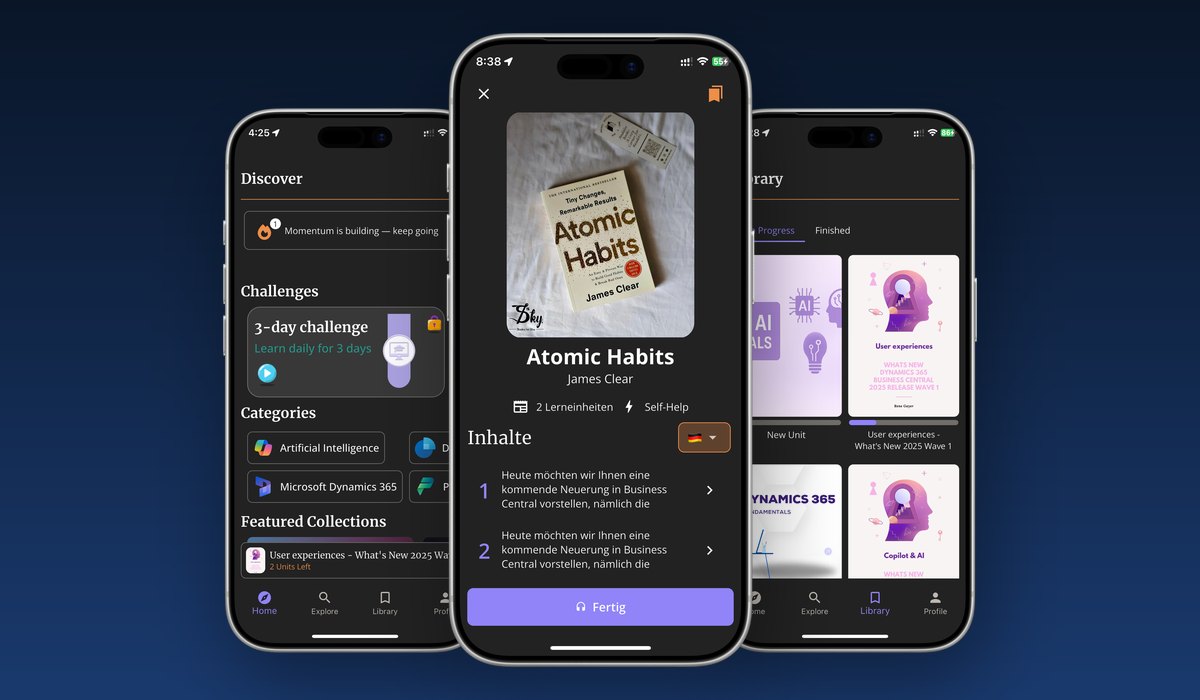
When we built Saindy365 — an audio learning app with multilingual support, RevenueCat subscriptions, progress tracking, and achievements — the choice was straightforward. Audio playback, subscription flows, progress sync: all standard patterns FlutterFlow handles cleanly. A native build would have taken roughly twice as long and cost significantly more, with no material advantage to the end user. The app is live on both stores, growing, and the client is happy.
If that same project had required, say, real-time audio processing or a custom camera pipeline for AR overlays, the answer would have been different. The tool choice follows the requirements, not the other way around.
The honest summary
For a first product, or a product at the early scaling stage, FlutterFlow is almost always the right tool — if you're working with an engineer who actually understands the platform. The "but what about performance" conversation usually comes from people who haven't shipped a FlutterFlow app to real users and seen how it performs in practice.
The scenario where we'd recommend native is narrow: deep platform integration, highly unusual UI mechanics, very large scale, or an existing native team. Everything else is a FlutterFlow project until proven otherwise.
FlutterFlow
Native Development
Flutter
iOS
Android